Studio UI
The Restoration Studio's web UI is a single-page app (frontend/: React 18, TypeScript,
Vite, TanStack Query, OpenSeadragon, Annotorious) served by the studio API
(studio/api). It replaced the old server-rendered dashboard and viewer (web/, and
the serve command), which are gone. For the workflow, see the
operator guide.
pnpm --dir frontend build                                 # -> frontend/dist
evilflowers-digitalizer studio serve --port 8000          # API + SPA on http://127.0.0.1:8000
pnpm --dir frontend dev                                   # :5173 with hot reload, proxies /api
pnpm --dir frontend dev:mock                              # the whole UI on fixtures, no backend
Screens
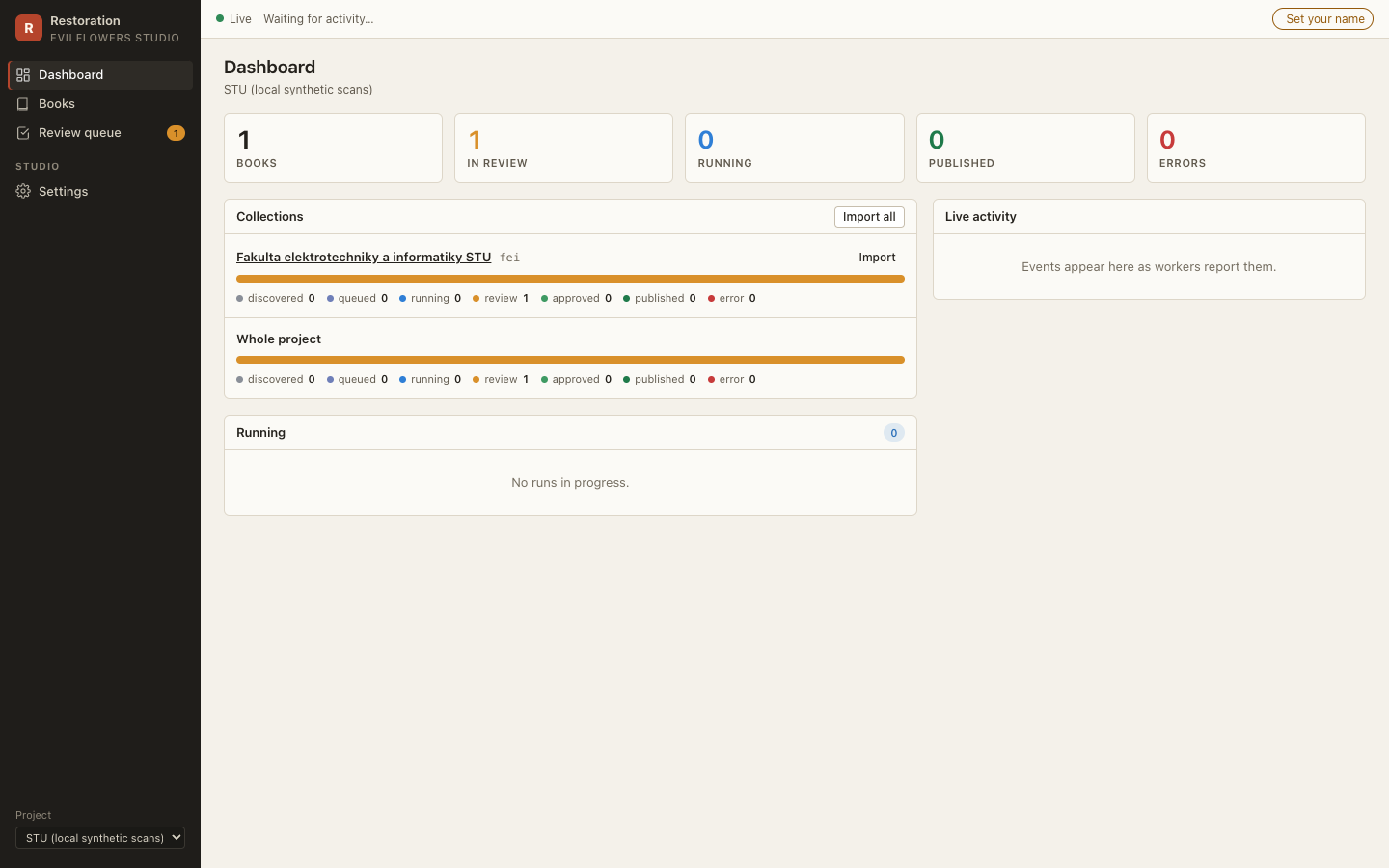
Dashboard (/). Per collection, a segmented bar of book statuses (discovered,
queued, running, review, approved, published, error) with import buttons; the runs in
progress with their stage bars; a live activity feed.
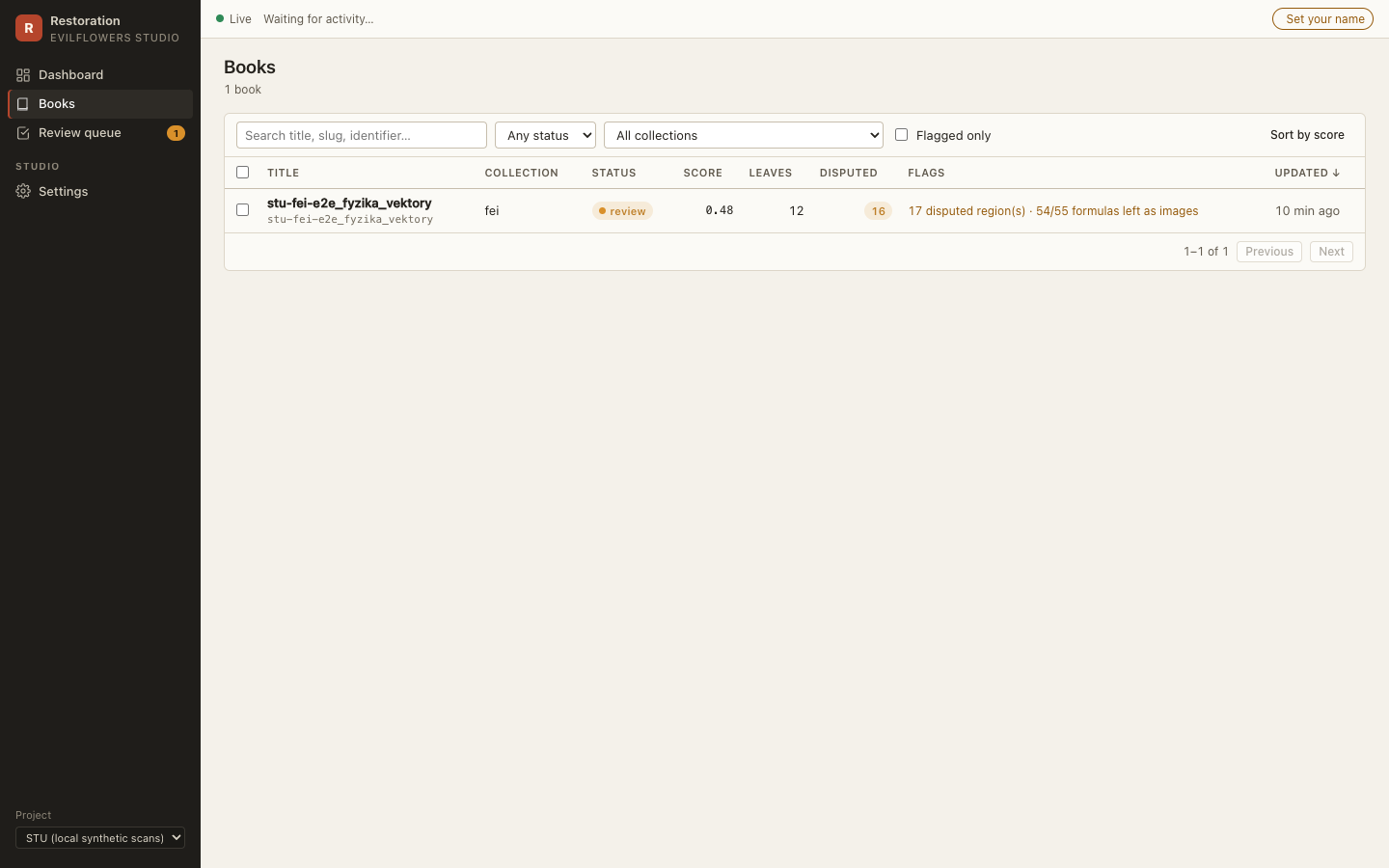
Books (/books). Filters for status, collection, flagged and free text, all kept in
the URL; sort by quality score; bulk actions (queue a run, approve).
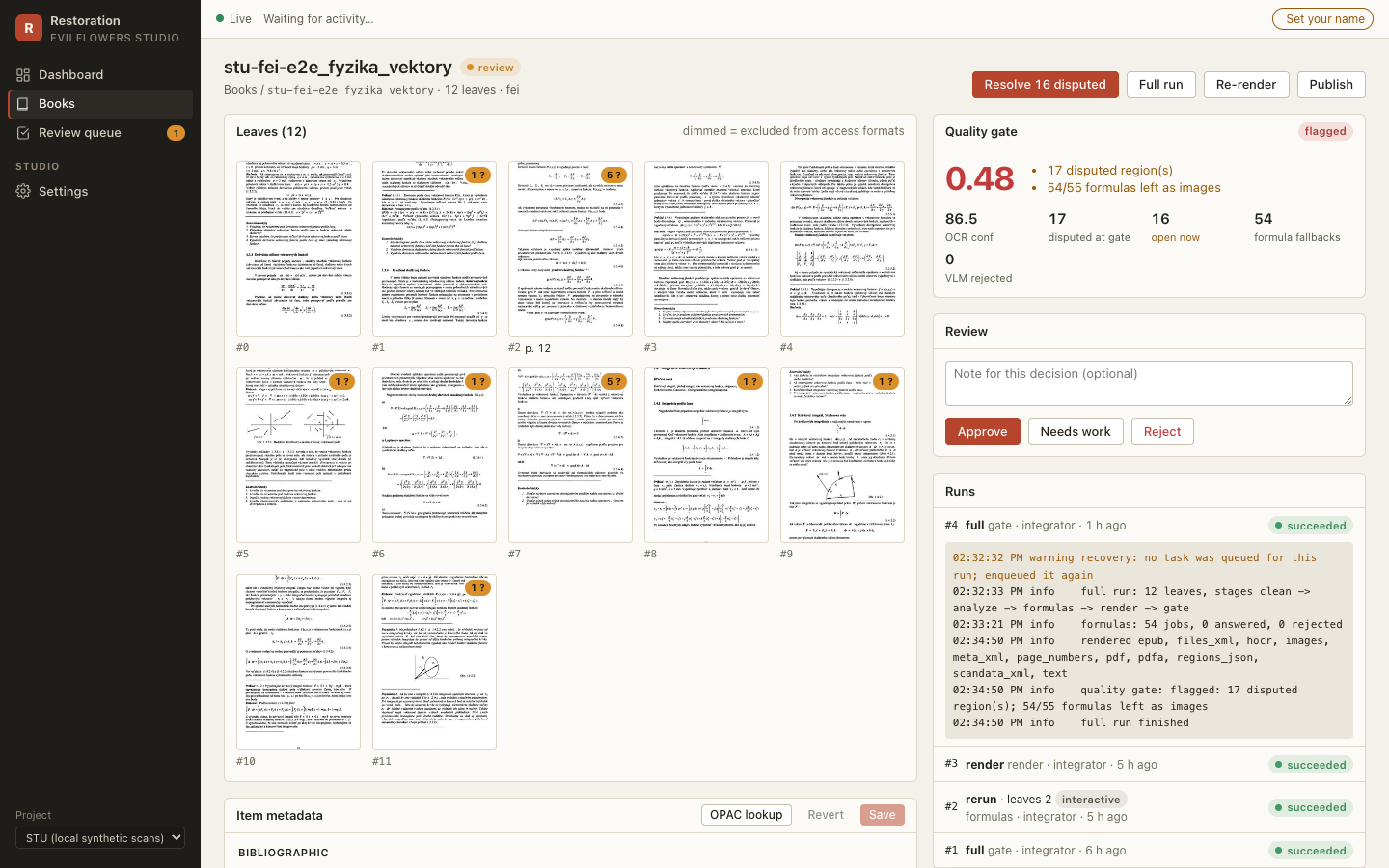
Book (/books/:id). The leaf grid (page type badges, disputed markers, dimmed when
excluded from access), the quality gate with its flags and signals, review buttons, runs
with a live log and cancel, publication history, downloads (every artifact plus the IA
export zip), notes, paths, and the IA metadata form (_meta.xml field names; saves only
changed fields).
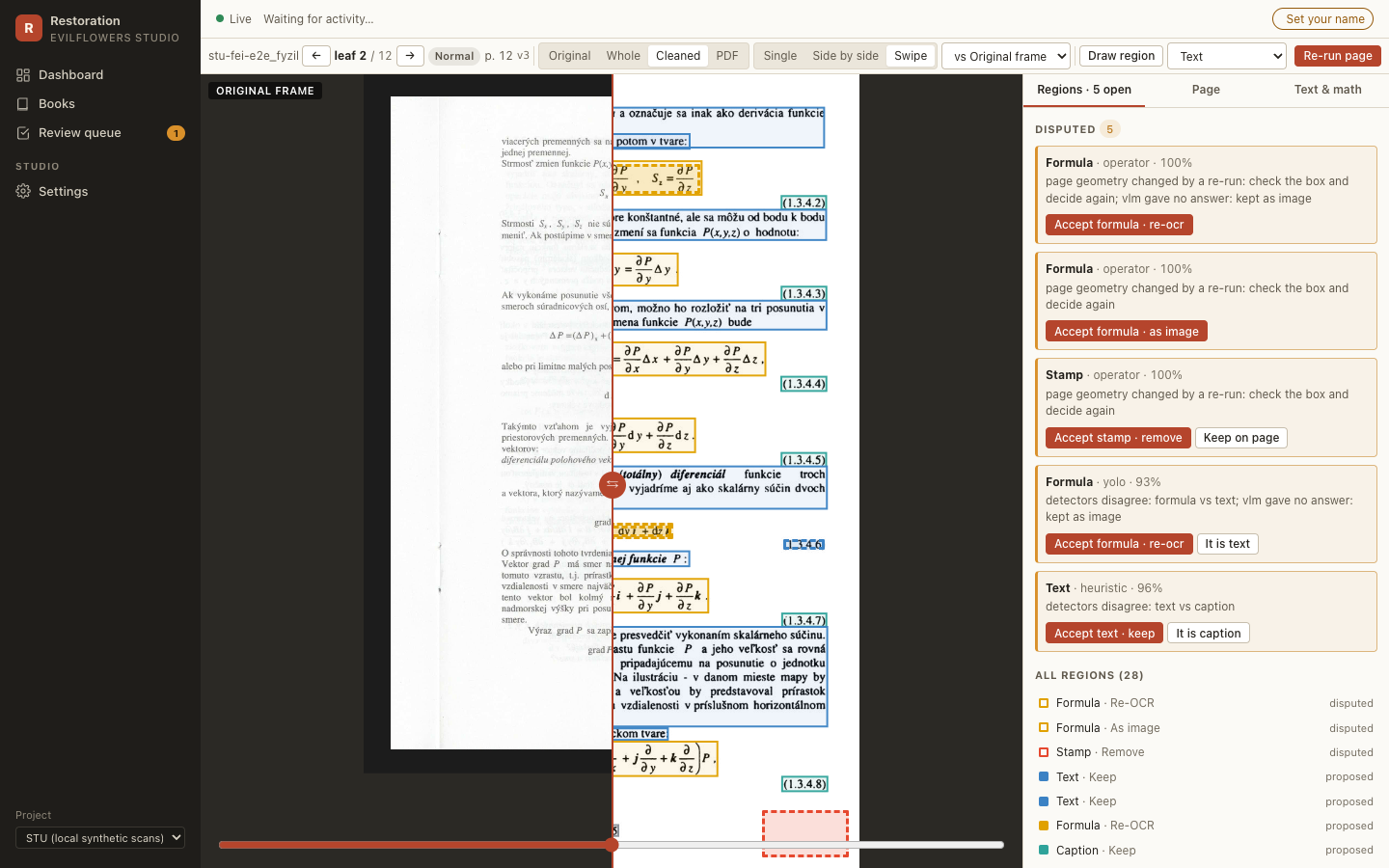
Page studio (/pages/:id). The core screen.
- Layers: original frame half, whole spread, cleaned page (Deep Zoom), PDF page.
- Compare: single, side by side or swipe, with synced viewports.
- Regions: rectangles coloured by kind, dashed when disputed. Draw, resize, relabel, set the action, add notes. Disputed regions are listed first with one-click accept or relabel.
- Page: IA leaf fields and the overrides for a re-run, with an optional OpenCV.js preview of crop, deskew and threshold.
- Text & math: editable OCR text per region; formula LaTeX with a live KaTeX preview.
- Re-run page on the interactive queue; the tile swaps when
page.updatedarrives.
Review queue (/review). Flagged books, lowest score first, keyboard driven.
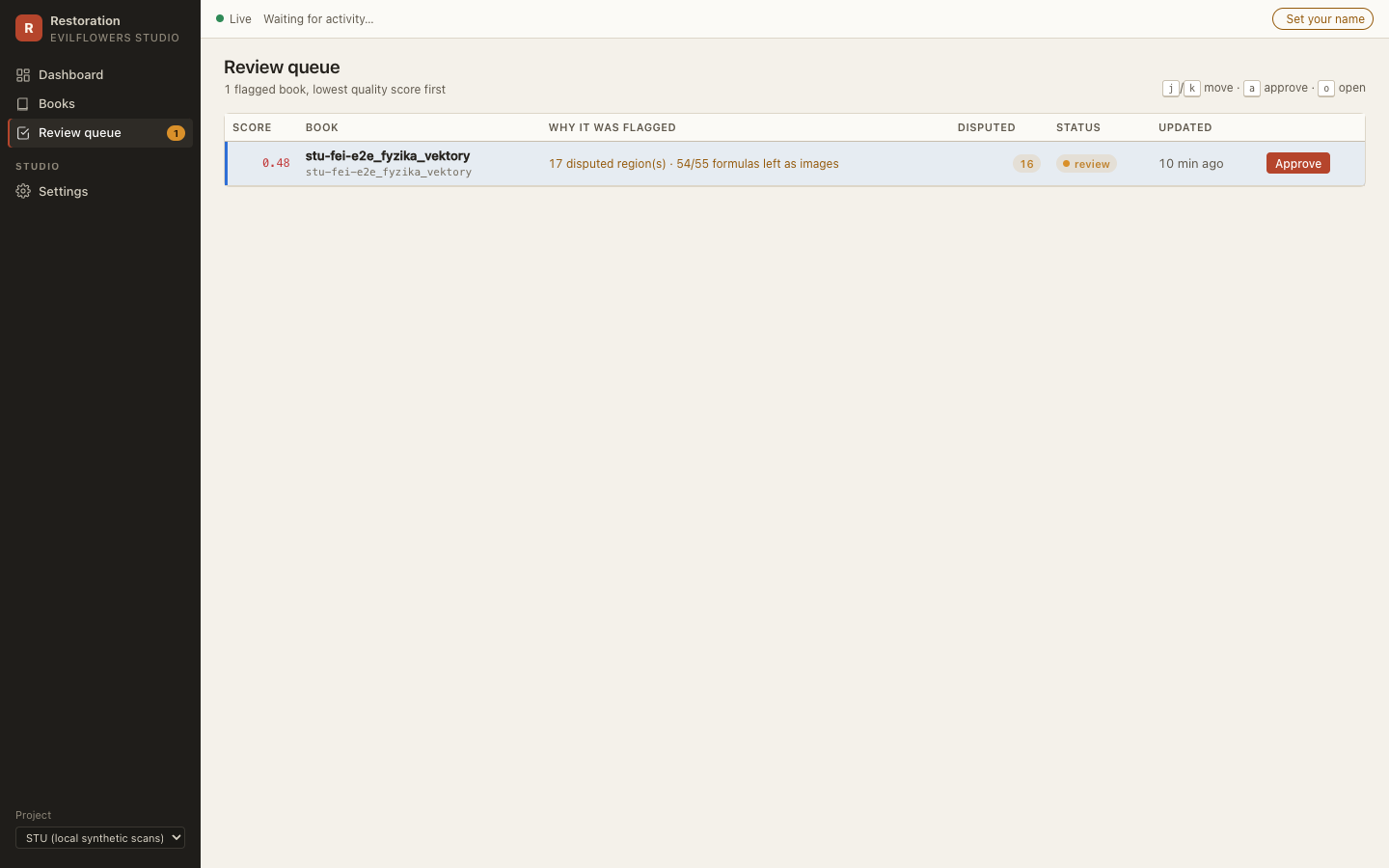
Settings (/settings). The operator name (kept in the browser) and the project
preset, read-only and without secrets (GET /api/v1/projects/{p}/config).
Keyboard
| where | keys |
|---|---|
| page studio | t text, f formula, b table, p picture, s stamp, x reject, Enter confirm, ←/→ leaf |
| review queue | j/k move, a approve, o open |
Shortcuts are off while typing in a field.
Live updates
The SPA opens one EventSource on GET /api/v1/events and listens for each named
event type (run.progress, page.updated, regions.updated, book.status, …; see
studio/events.py). Events invalidate the matching TanStack Query caches; progress and
log lines patch the cached run directly. Polling every 15 s is used only while the
stream is down, and everything is re-read once on reconnect.
Images and tiles
- Every page-media URL carries
?v=<page version>, so a re-run never shows a cached tile. - The cleaned layer is a Deep Zoom pyramid. The SPA opens
/api/v1/pages/{id}/dzi.xml?v=…: with the.xmlextension OpenSeadragon keeps the query string for the tile requests (…/dzi_files/<level>/<col>_<row>.jpg?v=…). The other layers are single renditions from/api/v1/pages/{id}/image/{layer}?w=…, cached under<cache_dir>/viewer. - Files are served only from paths the database records or the artifact store derives, never from a path in the request.
Operator identity
There is no authentication (VPN only). The X-Operator header carries the name from
Settings, percent-encoded because HTTP headers are Latin-1 and Slovak names are not;
the API decodes it.
Processing database (classic batch CLI)
The classic run-book / run-source runner still records each book in the same database
through db.Recorder (fail-safe: a broken database logs a warning and the book carries
on). evilflowers-digitalizer db upgrade migrates it and db import backfills books
produced before it existed. The studio adds its own tables and columns in migration
0002; studio migrate applies the same Alembic history.