EvilFlowers Books Digitalizer
Restoration Studio
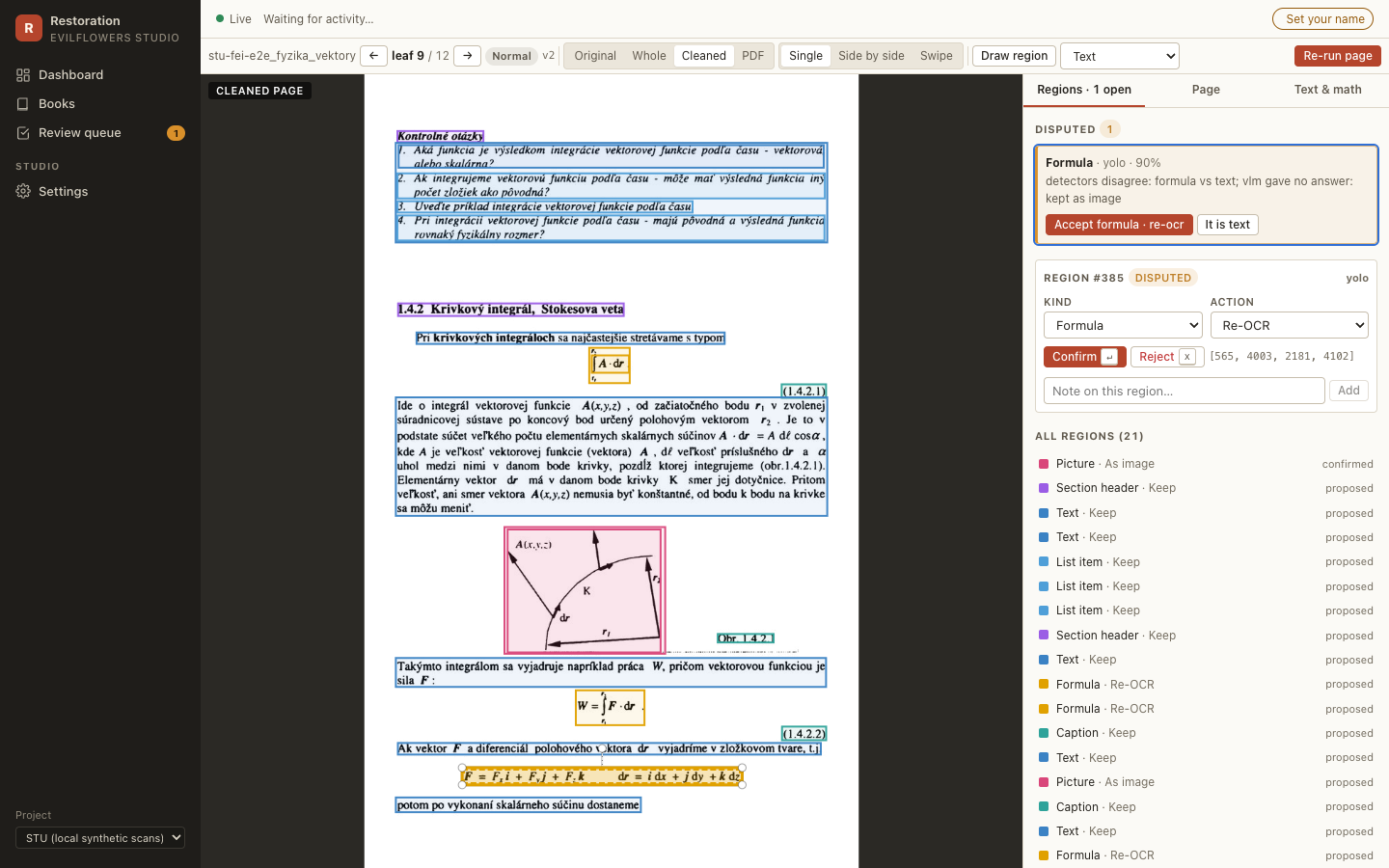
The project now also ships the EvilFlowers Restoration Studio: a web app plus Celery workers where operators review and correct what the pipeline produced (regions, crops, page types, formulas) and every book becomes an Internet Archive compatible item. Start with the operator guide and the Studio UI. The batch CLI described below keeps working unchanged.
Digitalization pipeline for scanned books. It turns raw flatbed TIFF scans into two compact PDFs per book — a fast distribution copy and a PDF/A-2b archival master — with Slovak OCR, bibliographic metadata and a cover thumbnail, then imports them into the EvilFlowers Catalog.
It is built entirely on open-source tooling (Tesseract, ScanTailor, archive-pdf-tools, pikepdf, webdav4) and runs as a plain long-running process — no orchestrator, server or database — so it can chew through multi-TB corpora unattended on a remote VM, fully resumable.
How it works
source (TIFF frames per book)
        │
        ▼
  DownloadBook ─► [AttachMetadata] ─► ScanTailorScans ─► [DocResEnhance]
  (stage to        (Excel catalog)     (split gutter,     (optional AI
   local cache)                         deskew, margins)   appearance)
        │
        ▼
  [DetectLanguage] ─► OcrPages ─► RenderPdf ─► EnrichPdfMetadata
   (langdetect)       (Tesseract)  (recode_pdf  (XMP)
        │                          MRC)
        ▼
  GenerateCover ─► Finalize ─► WriteCatalogManifest ─► publish-catalog
   (OPAC / styled)  (PDF/A)     (*.entry.json)         (REST import)
Each book runs in its own OS process (recode_pdf/OCRmyPDF are not
thread-safe), fanned out across a process pool — which also bounds memory over a
long batch and makes every book independently resumable.
Quick start
poetry install
cp credentials.example.toml credentials.toml   # WebDAV creds (dev source)

# fast checks — no network, seconds
poetry run pytest -q

# one book, end to end
poetry run python -m evilflowers_books_digitalizer \
  run-book svf <BOOK_ID> --config configs/pipeline.local.toml

# a small batch + the live dashboard
poetry run python -m evilflowers_books_digitalizer run-source svf --limit 3 \
  --config configs/pipeline.local.toml
poetry run python -m evilflowers_books_digitalizer monitor \
  --config configs/pipeline.local.toml
The engine shells out to scantailor-deviant-cli, tesseract, recode_pdf
and jbig2enc. Install them natively (see Run & operate › Testing)
or use the project Docker image, which bakes them all in.
Where to go next
| If you want to… | Read |
|---|---|
| Review and correct books in the web studio | Restoration Studio guide |
| Implement against the studio's contract | Studio spec |
| Understand the layers and the engine choice | Architecture |
| See the full engine evaluation & measurements | Pipeline report |
| Configure the catalog match & cover generation | Metadata & covers |
| Publish produced books into the catalog | Catalog import |
| Prove it locally, then go live | Testing & go-live |
| Set up the production VM | Deployment |
| Monitor, resume, tune & troubleshoot a run | Operations runbook |