Sync a Calibre library with ELVIRA
calibre-evilflowers 2.1.0 is a Calibre plugin that keeps a Calibre library in sync with a catalog on an EvilFlowers server, such as ELVIRA. Books new in Calibre are uploaded, books new in the catalog are downloaded, and a change on one side is applied to the other. Point several computers at the same catalog and they share one library.
Before anything changes, you see the plan
Clicking the toolbar button compares the library with the catalog and lists every book with what the plugin will do: upload, download or skip. You can change any row. When a book was edited on both sides, the plugin does not guess: it shows the two versions field by field and you pick one.
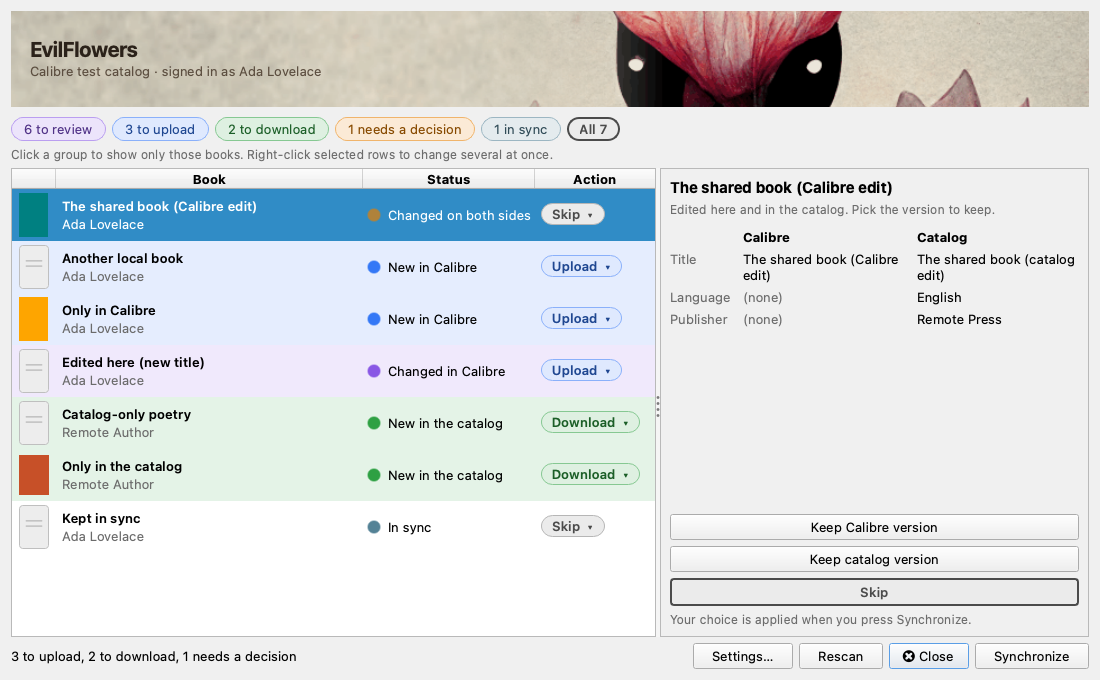
Each row is coloured by what will happen to the book. The panel on the right compares the two versions of a book that changed on both sides.
What travels: title, authors, language, tags (as categories), comments (as the summary), publisher, publication date, identifiers such as ISBN and DOI, the cover, and EPUB, PDF and MOBI files. Series, ratings and custom columns stay in Calibre and a download never overwrites them.
Nothing is ever deleted, on either side. A book removed in Calibre is not downloaded again as new, and it is not removed from the catalog either. The plugin only ever removes files it uploaded itself, when it replaces them with a newer version.
Browse the catalog, keep your shelf, read your highlights
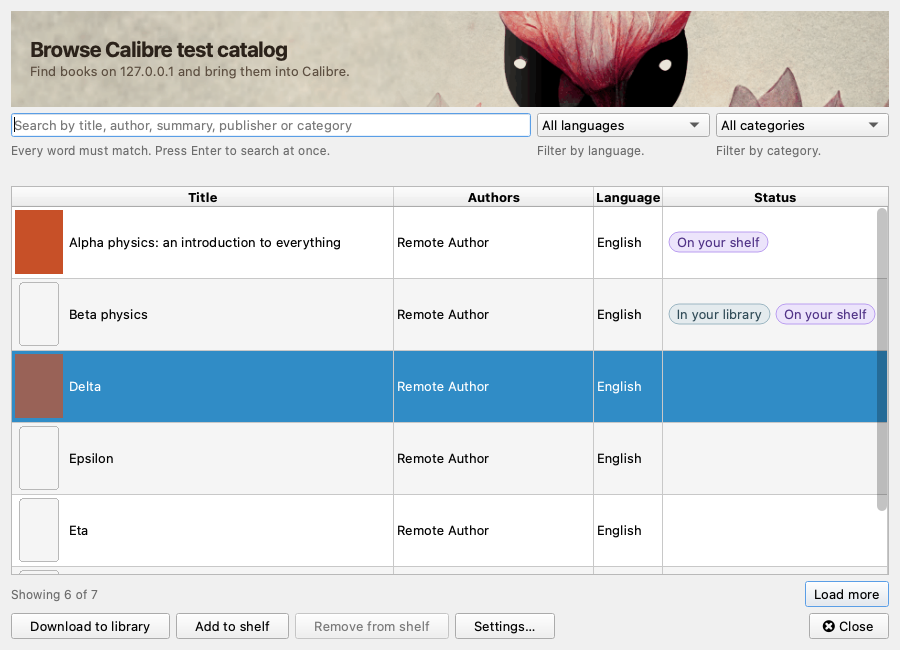
You do not have to sync a whole catalog. Browse catalog searches it, filters by language and category, and downloads only the books you pick. Badges show which books are already in your library or on your EvilFlowers shelf.
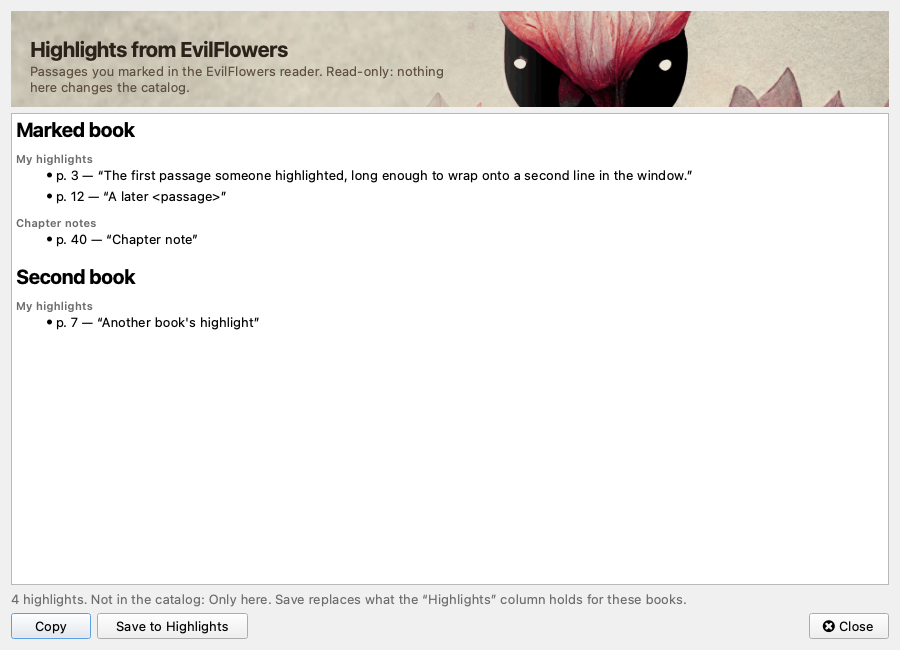
Highlights for selected book shows the passages you highlighted while reading in the ELVIRA reader, with page numbers. Copy them, or save them into a Calibre column. Nothing is sent back to the catalog.
Signing in
You sign in with your EvilFlowers username and password once. The plugin uses them to create an API key named Calibre on <computer> and keeps only that key. You can see and revoke the key in your profile, and Sign out revokes it for you.
Install
- Download
evilflowers-2.1.0.zipfrom the release. You need Calibre 7 or newer. - In Calibre, open Preferences → Plugins → Load plugin from file and pick the ZIP. Add the EvilFlowers button to a toolbar.
- Open Settings… from the button's menu, enter your library's address (for
STU,
https://elvira.stuba.sk), sign in and pick a catalog.
The README covers the settings, how changes are detected, and the known limitations.