
ELVIRA and EvilFlowers
You will see both names on this site. ELVIRA is the platform you run and readers use. EvilFlowers is the name of its catalog server and of the GitHub organization that holds the code, so most repositories carry it.
ELVIRA
The whole digital library: the catalog, the portal readers sign in to, the PDF reader, lending and the workers that process publications. STU runs it at elvira.stuba.sk, and the Catholic University in Ružomberok runs its own instance.
EvilFlowers
EvilFlowersCatalog is the catalog server at the centre of ELVIRA. It started as a side project before ELVIRA existed and kept its name. All ELVIRA code lives in the EvilFlowersCatalog organization on GitHub.
Find it, read it, borrow it, cite it
Everything below runs in production today.
Read in the browser
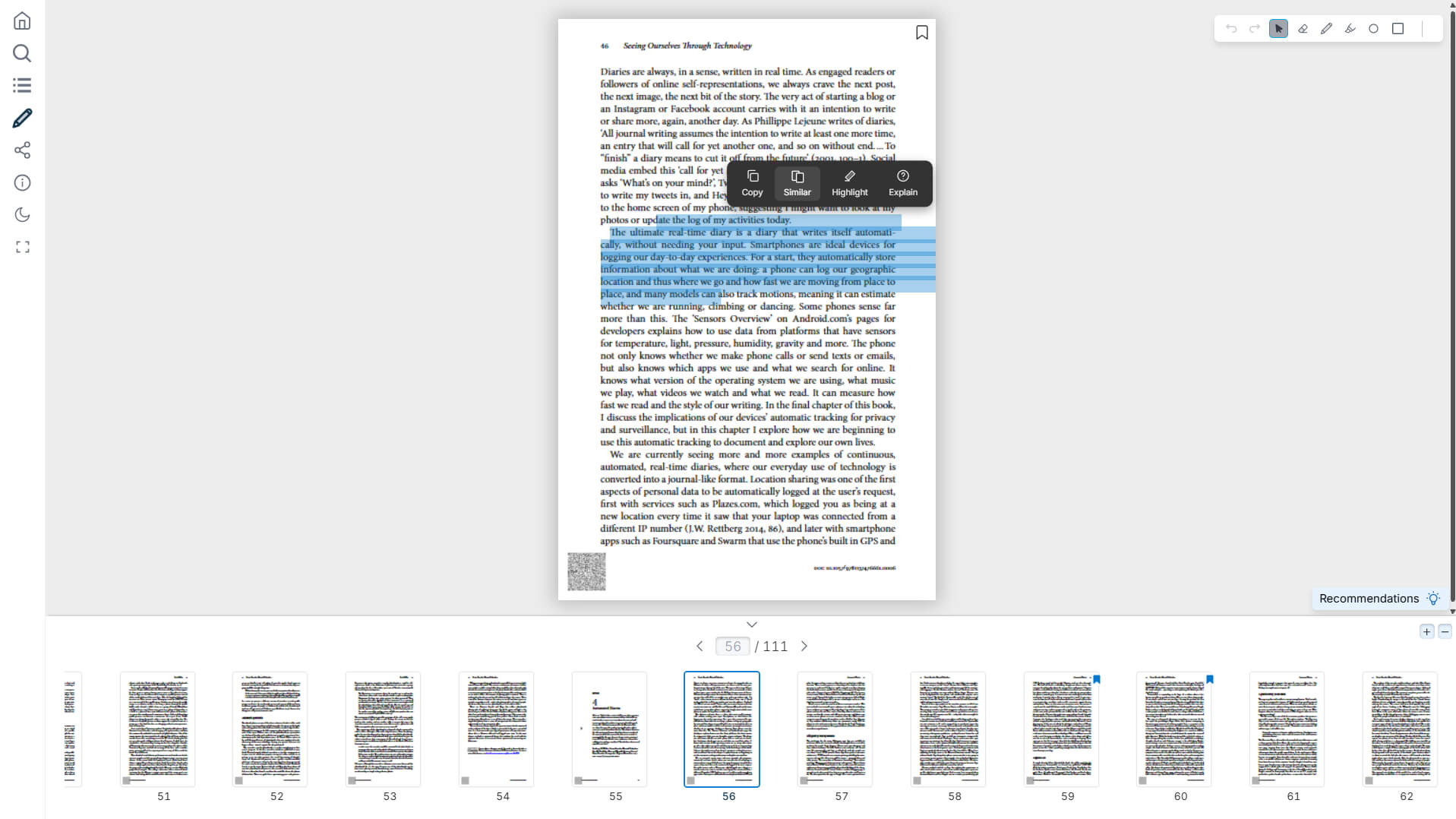
Every PDF opens in the built-in reader. Search inside the text, page through thumbnails, highlight and take notes. Nothing to install.
Borrow protected titles
Lend e-books with Readium LCP, the open DRM public libraries use. Readers borrow, renew, return and join a waiting list when all copies are out.
Use any e-reader app
Every catalog is also an OPDS 1.2 and 2.0 feed. Add it to Thorium or another OPDS app and browse, borrow and read there.
Cite and share
Copy a citation as BibTeX, BibLaTeX or RIS. Share a page range instead of the whole file.
Many libraries, one install
One server hosts separate catalogs, each with its own publications and permissions. Sign in with local accounts or your university’s LDAP.
An API for everything
Whatever the portal can do, a script can do over the documented REST API. AI agents connect over the Model Context Protocol.
Built for reading papers and textbooks
Every publication opens in the same reader, at the page where you stopped. Search the full text, highlight and annotate, switch to dark mode and copy a citation without leaving the tab. The reader is a standalone npm package, so you can embed it in your own app.
- Full-text search inside the document
- Highlights, notes and page-range sharing
- Citation export, and download where the license allows
What we are building now
These run in our development environment and are moving to production. The code is already public. What changed since May.
Search by passage
In developmentSearch returns the paragraph that matches, with the hit highlighted. It matches the words of a query and its meaning, so a Slovak question can find an English paragraph.
Structure from every PDF
In developmentExtraction workers split each publication into paragraphs and sentences, crop its figures and tables, and turn its formulas into LaTeX.
An assistant that cites
In developmentAsk a question about the collection and get an answer built from its passages, with a link to each one it used.
Printed books, digitized
In developmentThe digitalizer turns scans into an OCR’d PDF, a PDF/A archival copy and an EPUB, and publishes them to the catalog.
One catalog, everything around it
A catalog server holds the records and serves them over standard protocols. The portal, e-reader apps, AI agents and the digitalizer are its clients. Encryption and extraction run as separate workers.
Reasons to run it
Open standards, no lock-in
OPDS for catalogs, Readium LCP for lending, OpenAPI for the API. Reader apps you already use work with it, and your data leaves in formats other software reads.
Open source
The code is public on GitHub under permissive licenses. Read it, run it, change it, and send your changes back if you like.
In daily use
It serves the whole Slovak University of Technology, and the Catholic University in Ružomberok runs its own instance.
Your servers, your data
It runs on your own hardware: PostgreSQL for records, a local disk or any S3 store for files. Nothing is sent to a vendor.
Made for academic texts
Citation export, annotations, page-range sharing and Dataverse research datasets are built in.
A small core
The catalog handles records, permissions and loans. OCR, AI and encryption run as separate workers you add when you need them.
Pick where you start
Read at STU
Go to elvira.stuba.sk and sign in with your university account. Search, open a book, borrow it.
Reader guide →Use your own app
Add the catalog’s OPDS feed to Thorium Reader or another OPDS app to browse and borrow outside the browser.
Connect an app →Run your own
The catalog starts with Docker Compose and is ready on localhost:8000:
git clone https://github.com/EvilFlowersCatalog/EvilFlowersCatalog.git
cd EvilFlowersCatalog
docker compose up -d --build django
docker compose exec django python3 manage.py setup
docker compose exec django python3 manage.py createsuperuser
Two universities, one codebase
Both run the same catalog and portal. Each instance has its own servers, accounts and colours.


Could your library run on this?
Start with the quickstart, or write to us. We help faculties and universities set it up.