Introducing the books digitalizer
evilflowers-books-digitalizer turns scans of printed books into files a reader can search and an archive can keep, and publishes them to the catalog. It has no tagged release yet; the code and its documentation are public.
Why a studio and not just a batch job
The project started as an unattended batch pipeline: scans in, PDFs out. On a set of 880 scanned university books it gets most pages right and some badly wrong. A stamp covers a paragraph, a formula is read as prose, a crop loses a column. A batch job can only rerun everything. The studio lets a person fix one region on one page, rerun that page in seconds, and approve the book.
What it does with each book
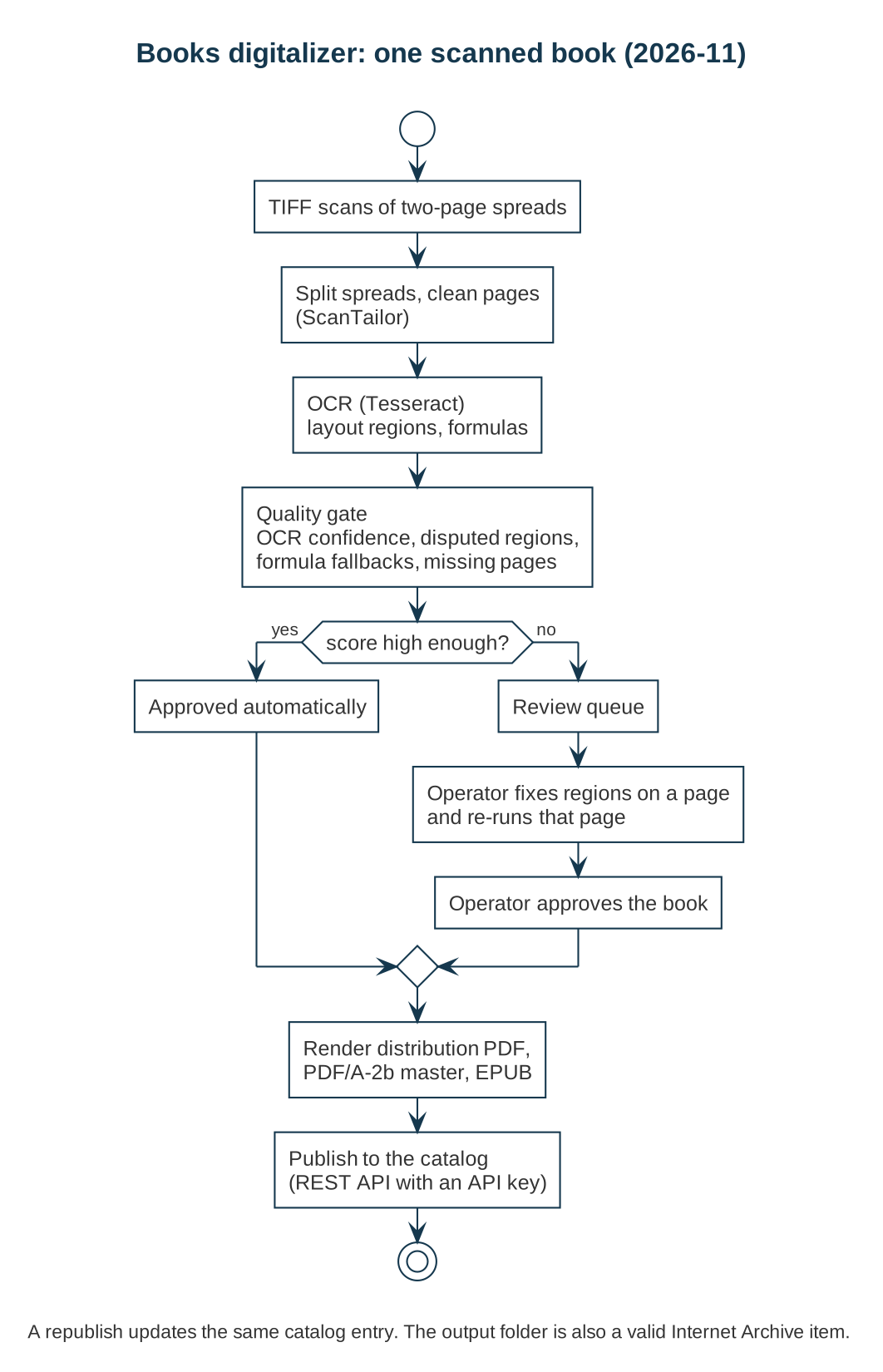
- Splits two-page spreads, then crops, deskews and cleans each page with ScanTailor.
- Runs Slovak OCR with Tesseract and finds layout regions: text, headings, pictures, captions, formulas.
- Scores the book: OCR confidence, regions the detectors disagree on, formulas it could not read, missing pages. A book that scores well is approved; the rest wait in a review queue.
- Renders three files: a distribution PDF that opens fast in any viewer, a PDF/A-2b master for preservation, and a reflowable EPUB.
- Publishes the book to the catalog through its REST API. Publishing again updates the same entry.
The output folder of every book is also a valid Internet Archive item, so the standard Internet Archive tools work on it directly.
The review screens
Only books the gate flagged need a person. The review queue lists them with the reason, lowest score first.
 The keyboard works too: j and k move through the queue, a approves the selected book.
In the page studio, regions are drawn over the cleaned page, coloured by kind. Where two detectors disagree, for example formula against text, the operator decides with one click and can re-run OCR on that region.
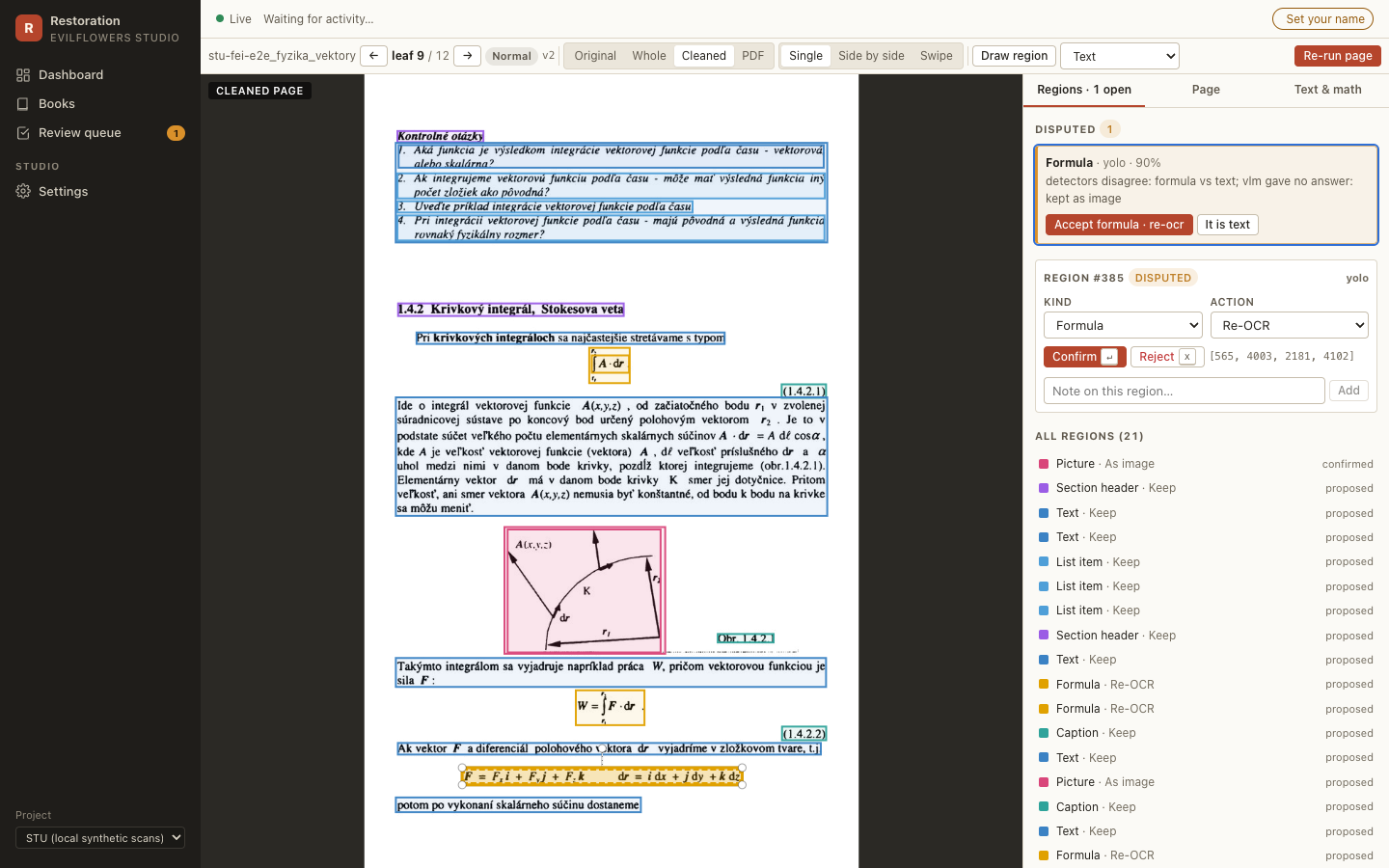 Blue marks text, purple headings, pink pictures, teal captions and orange formulas.
A swipe compares the original scan with the cleaned page, so a bad crop or a lost column is easy to spot.
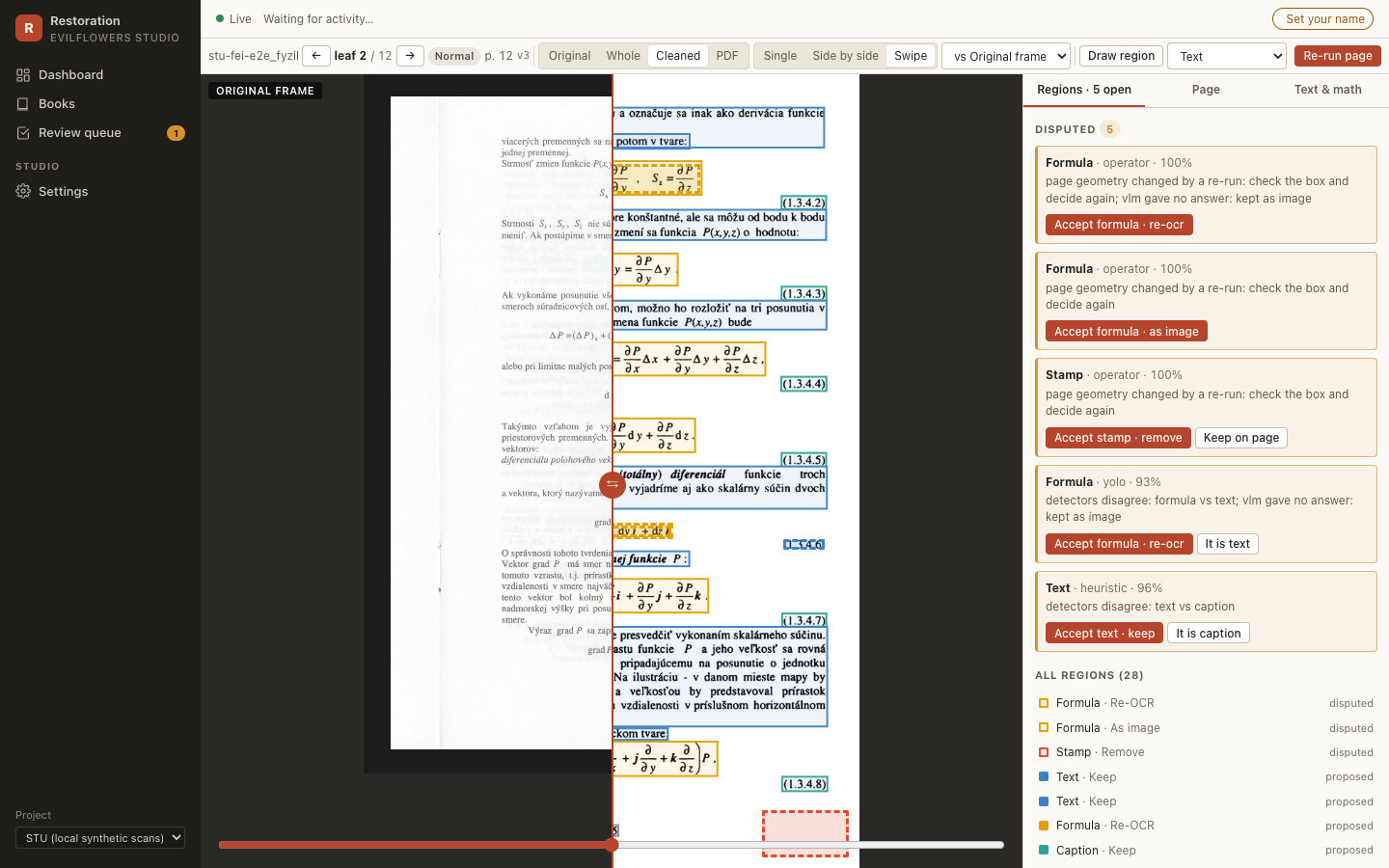 Drag the slider to move the line between the scan and the cleaned page.
Status
The digitalizer has not been released yet. When it has a first release, it will be announced here and listed on the releases page. Until then, the repository has setup instructions for the studio and for the batch command line.