Releases and versions
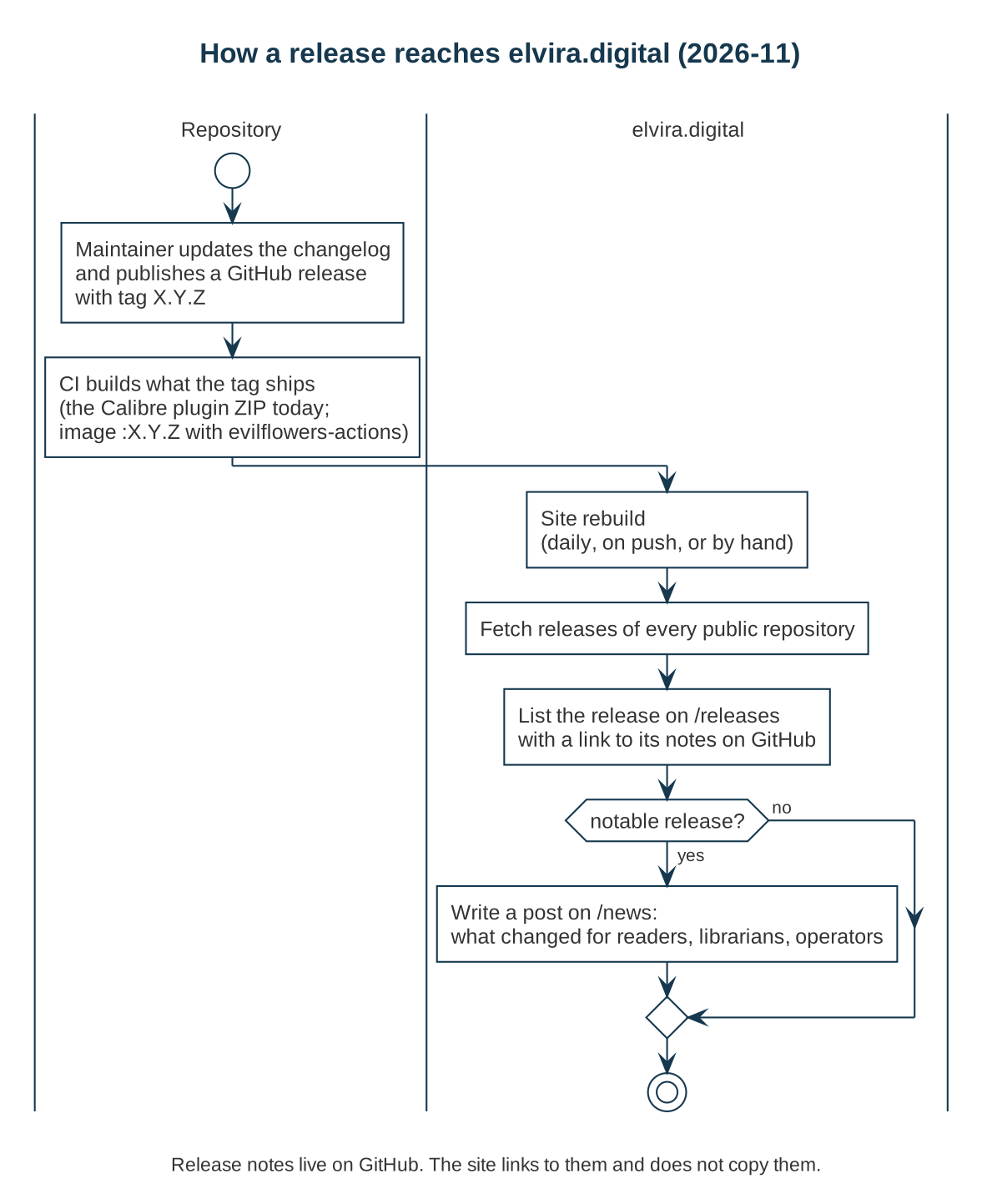
Every GitHub release in a public repository of the EvilFlowersCatalog organization is listed on the releases page. Releases that change something for readers, librarians or operators also get a post in News.
Which repositories release today
| Repository | Tag example | What the release contains |
|---|---|---|
| EvilFlowersCatalog | 0.15.0 | Release notes grouped by area, with upgrade notes |
| EvilFlowersViewer | v0.7.9 | A version tag and a link to the changes; the reader is on npm |
| calibre-evilflowers | 2.1.0 | Notes from the changelog and the plugin ZIP, attached by CI |
| evilflowers-postgresql | r202611161245 | A dated build of the PostgreSQL image |
The portal, the digitalizer, the lending worker and the processing workers do not tag releases yet. Their images are built from branches.
Reading a catalog release
Catalog releases group changes by area and end with Upgrade notes. Items marked ⚠️ need action before or after you upgrade: a new database extension, a changed default, a command to run. When you skip versions, read the upgrade notes of every release in between.
Getting notified
- News feed (RSS; Atom) for announcements.
- Watch → Custom → Releases on a GitHub repository for each of its releases.
For maintainers: the intended process
The rest of this page is a proposal for the repositories that do not release yet. It is how we intend to work, not how every repository works today.
-
Tag with
X.Y.Z(avprefix is accepted) and publish a GitHub release with notes. Keep aCHANGELOG.md, and copy the version's section into the release. Mark anything an operator must do with ⚠️ under Upgrade notes. -
Let CI build the tag. A service that uses evilflowers-actions publishes the container image
:X.Y.Zfor a tagX.Y.Z; moving the services to it is the first step. Tools attach their artifact to the release, as the Calibre plugin does. -
Ask the site to rebuild, optionally. Without this the release appears after the next daily rebuild. A workflow step on
release: publishedcan trigger it, with a token that may dispatch events to this repository:gh api repos/EvilFlowersCatalog/EvilFlowersCatalog.github.io/dispatches \-f event_type=release-published -
Write a post for a release that changes something for users: a pull request adding a file to
news/in this repository. Say what changed for whom and what to do; link the full notes instead of copying them.
How the releases page is built
npm run releases (scripts/fetch-releases.mjs) asks the GitHub API for the
releases of every public, non-fork repository in the organization and writes
the tag, title, date and link of each to src/data/releases.json. The deploy
workflow runs it before every build, on every push to main, once a day, and
on a release-published dispatch. If GitHub cannot be reached, the committed
file is used, so a build never fails because of the API.